






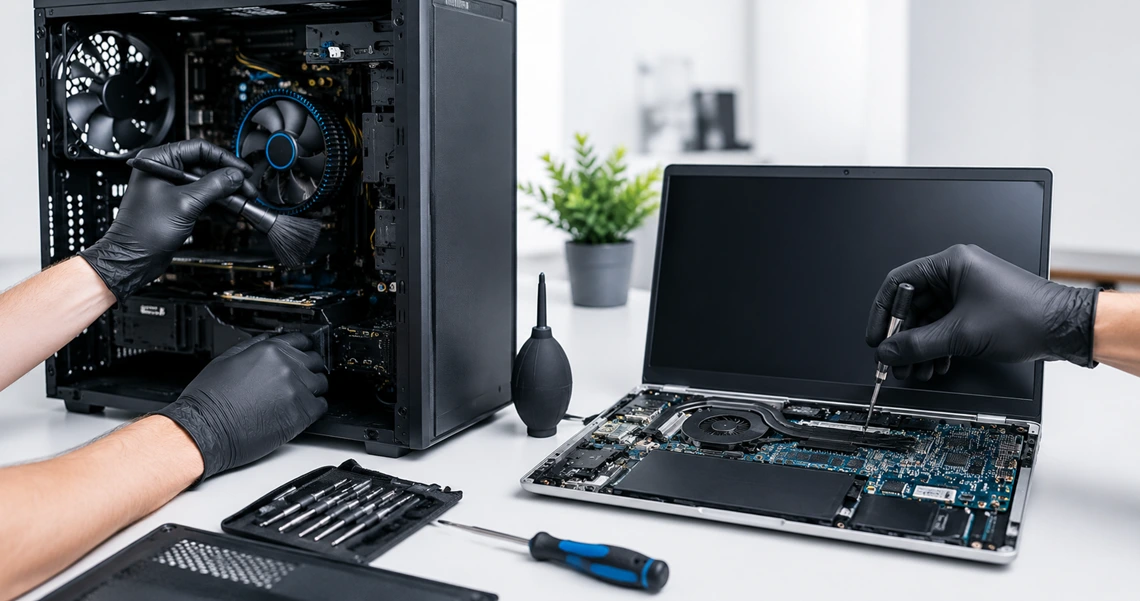
Computer Maintenance, Cleaning and Diagnostics in Baku
Desktop and Laptop Cleaning · Thermal Paste Replacement · Hardware Diagnostics · RealTech MMC
Why Regular Computer Maintenance Is Important
Over time, dust collects inside desktop computers and laptops. As a result, airflow becomes weaker, internal temperatures rise and cooling fans may become louder.
In addition, old thermal paste may no longer move heat effectively from the processor to the cooling system. Therefore, the computer may become slower, unstable or unusually hot.
In some cases, an overheating computer may freeze, restart or shut down during demanding tasks. However, regular cleaning and testing can help find these problems before they cause serious damage.
RealTech MMC provides professional computer maintenance, cleaning and diagnostics in Baku, Azerbaijan . Our technicians service desktop computers, laptops, office workstations and gaming systems.
Main Computer Maintenance Services
Why Preventive Computer Maintenance Matters
Many users request technical support only after their computer starts overheating, slowing down or shutting down. In most cases, however, these problems develop slowly.
For example, a small layer of dust may not cause an immediate problem. As more dust collects, the fans must work harder to keep the computer cool. Consequently, fan noise and operating temperatures may increase.
Regular maintenance can find early signs of cooling, memory or storage problems. Therefore, it may help prevent costly repairs, unexpected downtime and possible data loss.
What Happens If You Never Clean Your Computer?
A computer needs free airflow to stay cool. When dust blocks the fans, air openings and heatsinks, heat remains inside the device. As a result, the processor and other parts may operate at higher temperatures.
Cooling Problems
- Higher CPU and graphics card temperatures
- Weak airflow through the computer
- Lower cooling system efficiency
- Fans working continuously at high speed
- More fan noise during normal use
Performance Problems
- Automatic reduction of processor speed
- Slower application performance
- Freezing during demanding tasks
- Unexpected system restarts
- Shutdowns caused by overheating
Hardware Risks
- Shorter hardware lifespan
- Early cooling fan failure
- Extra heat around the motherboard
- Storage problems caused by high temperatures
- Higher risk of costly repairs
How the Computer Maintenance Process Works
1. Initial Inspection
First, the technician checks the computer for visible damage, unusual fan noise and signs of overheating. In addition, the general condition of the cooling system is inspected.
2. Internal Cleaning
Next, dust is carefully removed from fans, heatsinks, air openings and other internal areas. As a result, airflow can improve and the cooling system can work more effectively.
3. Thermal Paste Replacement
If necessary, the old thermal compound is removed and replaced with new thermal paste. Therefore, heat can move more effectively from the processor to the heatsink.
4. Diagnostics and Testing
Finally, the computer is tested after maintenance. The technician checks temperatures, cooling fan operation, storage health, memory and general system stability.
What Is Included in Professional Computer Maintenance?
Internal Computer Cleaning
- Removal of dust from internal parts
- Cleaning of processor cooling fans
- Cleaning of heatsinks and air channels
- Cleaning of ventilation openings
- Dust removal from the motherboard
- Cleaning around graphics cards
- Inspection of the power supply air area
- Visual check for heavy dust buildup
Thermal Paste Replacement
- Removal of old or dry thermal compound
- Cleaning of the processor surface
- Cleaning of the heatsink contact surface
- Application of high-quality thermal paste
- Correct installation of the cooling system
- Inspection of thermal pads when needed
- Temperature testing after maintenance
- Cooling fan operation check
Computer Diagnostics
- General hardware condition check
- CPU temperature monitoring
- Graphics temperature check when needed
- RAM memory testing
- HDD and SSD health check
- Cooling fan operation check
- Performance and stability testing
- Identification of overheating problems
Need Professional Computer Maintenance in Baku?
RealTech MMC provides professional maintenance for desktop computers and laptops in Baku, Azerbaijan. In addition, our technicians can check temperatures, fans, storage devices and memory.
View Computer Maintenance ServiceAdditional System Checks
Besides physical cleaning, the technician can inspect the computer for common hardware problems. For example, memory, storage devices and cooling fans can be tested when needed.
Signs That Your Computer Needs Maintenance
High Temperatures
The computer becomes unusually hot during normal use. In particular, the keyboard, case or air outlet may feel warmer than before.
Loud Fan Noise
Cooling fans remain loud or work at high speed. Moreover, they may produce unusual mechanical sounds.
Slow Performance
Programs become slower when the computer is hot. As a result, even normal work may take more time.
Unexpected Shutdowns
The system freezes, restarts or turns off during demanding tasks. In this case, overheating may be one possible cause.
Weak Airflow
Very little air comes from the cooling opening. Therefore, dust may be blocking the fan or heatsink.
Visible Dust
Dust is visible around fans, filters or air openings. For this reason, internal cleaning may also be needed.
Benefits of Preventive Computer Maintenance
Lower Temperatures
Clean fans and heatsinks improve airflow. In addition, fresh thermal paste may improve heat transfer.
Stable Performance
Proper cooling can help prevent slowdowns. Therefore, the computer may remain more stable during heavy use.
Quieter Operation
When cooling works well, fans may run at lower speeds. As a result, the computer may produce less noise.
Longer Hardware Life
Lower temperatures reduce heat around important parts. Consequently, regular maintenance may help extend hardware life.
Early Problem Detection
Testing can find fan, memory and storage problems early. Therefore, repairs can be planned before a major failure.
Less Downtime
Regular checks can reduce the risk of unexpected failure. This is especially useful for office and business computers.
Computers and Devices We Service
RealTech MMC provides computer cleaning and maintenance for many types of personal and business equipment in Baku.
How Often Should a Computer Be Cleaned?
For many home and office computers, internal cleaning may be useful every 6 to 12 months. However, the correct interval depends on the computer, its workload and the area where it is used.
Computers in Dusty Areas
Computers used in workshops, shops, warehouses or homes with pets may collect dust more quickly. Therefore, they may need cleaning more often.
Gaming and Professional Computers
Gaming computers and professional workstations often produce more heat. For this reason, regular temperature checks can be useful.
Thermal Paste Replacement
Thermal paste does not always need replacement according to a fixed schedule. Instead, replacement may be needed when temperatures increase, the cooling system is removed or the existing paste becomes dry.
Desktop Computer Cleaning vs Laptop Cleaning
Desktop Computer Maintenance
Desktop computers usually provide easier access to internal parts. Therefore, fans, filters, heatsinks and graphics cards can often be inspected directly.
In addition, cable placement and case airflow can be checked during maintenance.
Laptop Maintenance
Laptop cleaning often requires careful removal of the bottom cover or other parts. For this reason, the work should be completed without damaging cables, connectors or plastic clips.
After opening the laptop, the fan, heatsink and air channels can be cleaned according to the device design.
Computer Maintenance for Businesses in Baku
Preventive computer maintenance is especially useful for companies that depend on computers every day. For example, an overheating office computer can reduce employee productivity and interrupt customer service.
Office and Corporate Computers
RealTech MMC services office computers, employee laptops, reception systems, retail computers and professional workstations in Baku, Azerbaijan.
Planned Maintenance
For companies with several devices, maintenance can be planned in stages. As a result, work can continue while selected computers are inspected and serviced.
Why Choose RealTech MMC?
Professional Technical Service
Each computer is serviced according to its design, condition and cooling requirements.
Desktop and Laptop Support
Service is available for home computers, office PCs, laptops, gaming systems and workstations.
Full Hardware Checks
Temperatures, cooling fans, memory and storage devices can be checked when needed.
High-Quality Thermal Paste
When replacement is needed, old thermal compound is removed and new thermal paste is applied.
Local Service in Baku
RealTech MMC provides computer maintenance and IT support services in Baku, Azerbaijan.
Business IT Support
In addition, maintenance can be combined with other IT support services for businesses.
Computer and Laptop Cleaning Service in Baku, Azerbaijan
RealTech MMC provides professional computer cleaning in Baku, laptop cleaning in Baku, thermal paste replacement and computer diagnostics for home and business customers.
The service can include internal dust removal, cooling system cleaning, fan inspection, thermal paste replacement and temperature testing. In addition, SSD, HDD and RAM checks can be completed when required.
Regular maintenance can help reduce overheating and improve system stability. Moreover, early testing may find a hardware problem before it causes a complete system failure.
For full service details, visit the Computer Maintenance, Cleaning and Diagnostics service page .
Frequently Asked Questions
What does preventive computer maintenance include?
It can include internal cleaning, fan and heatsink cleaning, thermal paste replacement, temperature testing and hardware checks.
Do you clean desktop computers and laptops?
Yes. RealTech MMC services desktop computers, laptops, gaming PCs, office systems and professional workstations.
Can cleaning improve computer performance?
Cleaning may improve cooling when dust is blocking airflow. As a result, the computer may maintain better performance under load.
When should thermal paste be replaced?
Replacement may be needed when temperatures rise, the cooling system is removed or the existing paste becomes dry.
Will my files be deleted during maintenance?
Physical cleaning does not normally require file deletion. However, keeping a current backup of important files is always recommended.
How often should a computer be cleaned?
Many computers may benefit from cleaning every 6 to 12 months. Nevertheless, dusty areas and heavy workloads may require more frequent service.
Where is the service available?
RealTech MMC provides computer and laptop maintenance services in Baku, Azerbaijan.
Book Professional Computer Maintenance in Baku
Desktop and Laptop Cleaning · Thermal Paste Replacement · Cooling System Service · Hardware Diagnostics
View Service and Order